Ambience.
A generative ambient synth that plays itself - and follows you.
Hold one note. Get an evolving ambient world - layered pads, granular texture, shimmer, arp and gentle rhythm, all tempo-aware. Now as a Mac plugin for your DAW, or standalone.
Play. Shape.
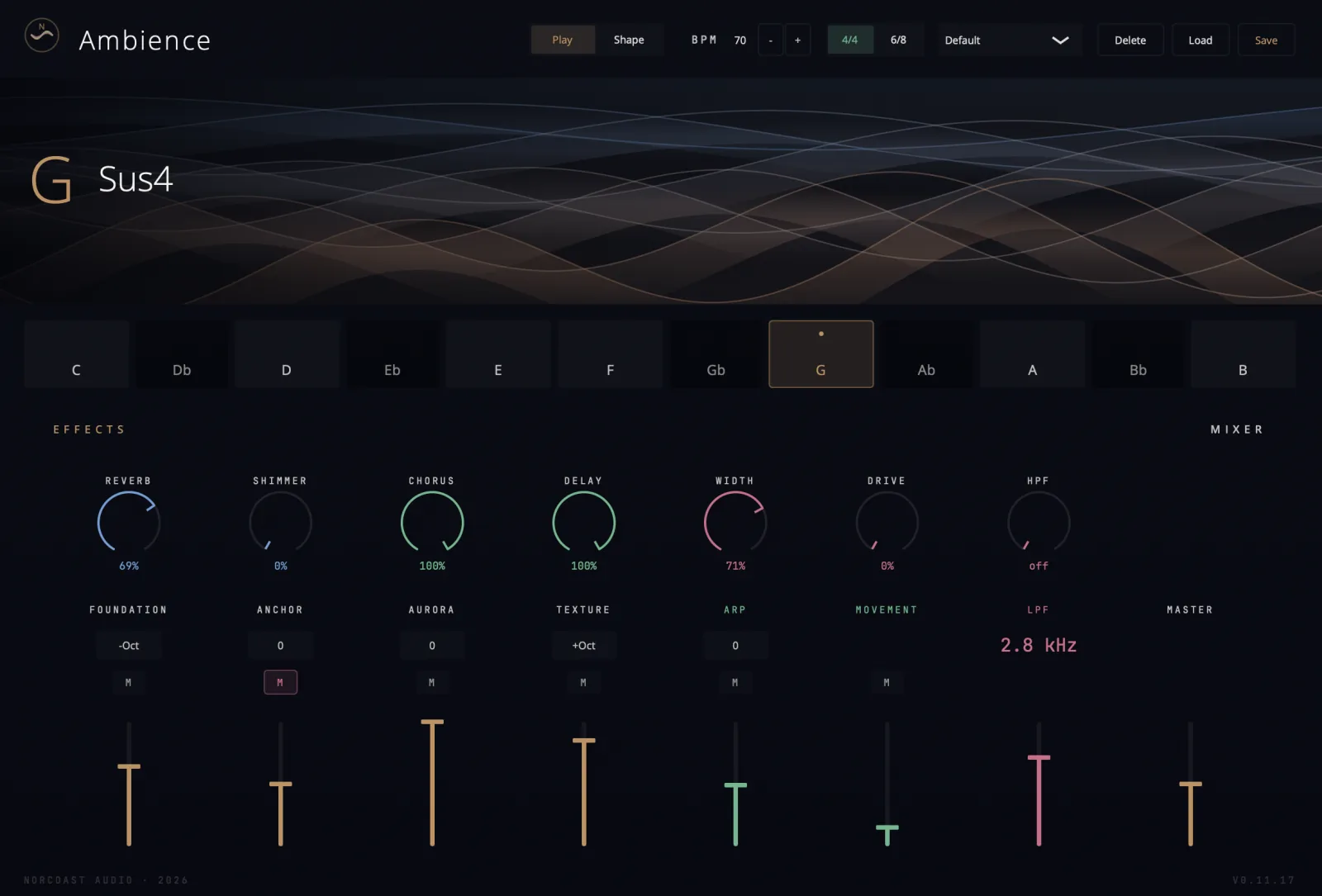
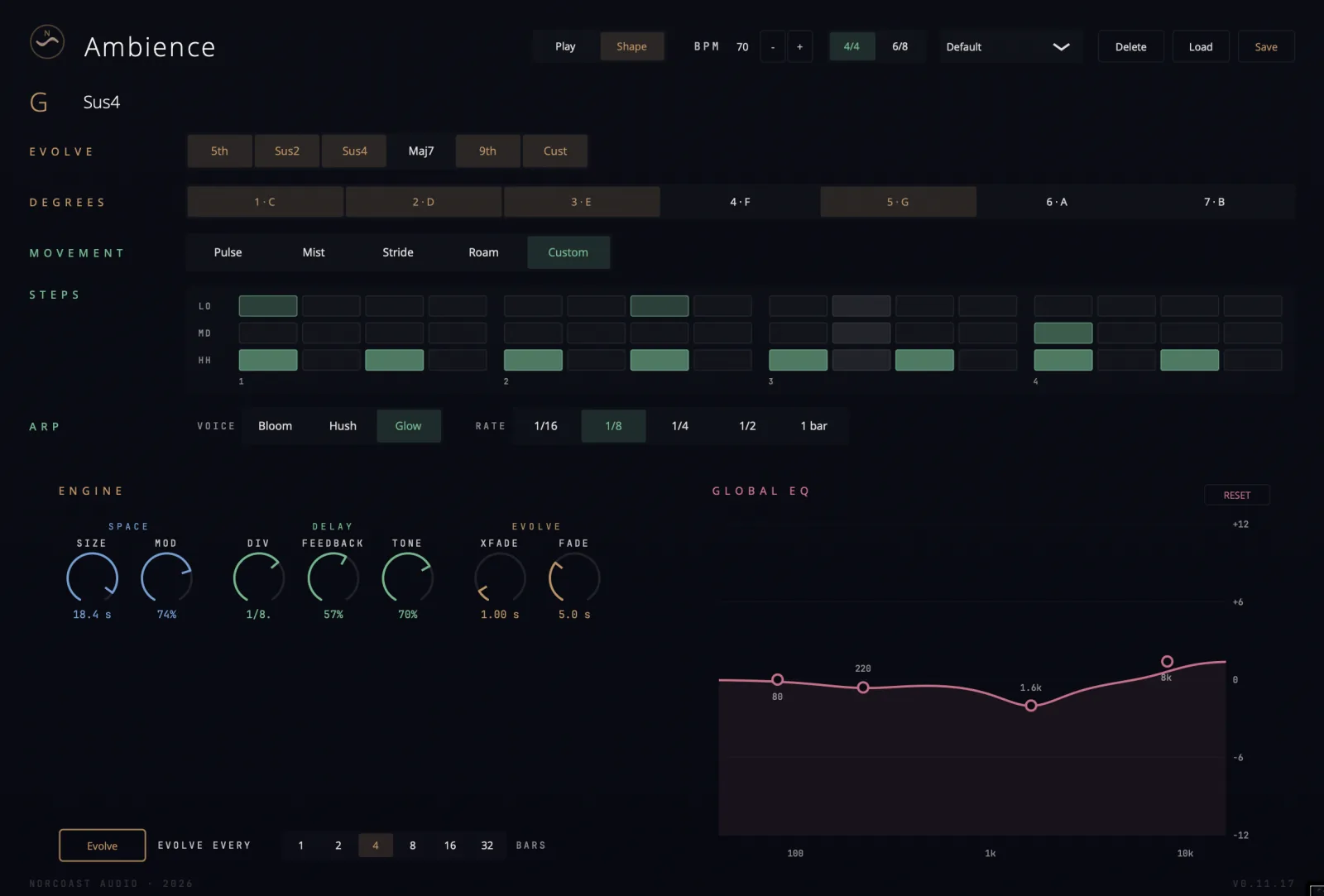
One held root. A living pad.
Choose your root.
Twelve keys on the strip. Tap one and the drone engine settles into a held chord.
The chord moves itself.
An evolve system cycles the shape underneath - sus2, sus4, 7th, min7, maj7, 9th, add9 or your own - every few bars, so it never quite repeats.
Follows your hands.
Send live MIDI and play notes over the generative bed. Set-and-forget ambience, or a performance instrument - your call.
Buy it once
No subscription. One licence, three activations across your own Macs, yours to keep with a money-back guarantee.
Four formats
AU, VST3, CLAP and Standalone from a single install. Signed and notarized by Apple - it just installs.
No bloat
A synthesis engine, not a sample library. Tiny download, instant load, infinite sound - no 2GB content packs.
Ambience plays with you.
Two features that turn a generative engine into a musician sitting next to you - one watching your hands, the other locked to your DAW.
A real-time harmonic partner.
Engage Listen and a real-time MIDI analyser watches every note you play, steering the drone to complement your voicing.
Stop playing and Ambience drifts back to its own evolving behaviour. No latency, no MIDI routing - just press Listen and play.
Locked to your DAW.
Engage Follow and every layer - pads, foundation, texture, arp, drums - locks to your DAW's transport on a single shared gate. Play and the drone blooms; stop and it fades cleanly. No stray notes, no layers out of sync.
Combine Listen and Follow and Ambience watches your hands, follows your transport, and shapes its harmonic world around yours - a generative ambient engine that feels less like a plugin and more like a musician sitting next to you.
Two rooms, one instrument.
An evolving ambient bed for film, game, lo-fi and ambient production - tempo-locked to your session, granular texture and shimmer baked in. Underscore a scene or build a whole track from one held note.
Built to run live in MainStage, Ableton Live, or your live host of choice - alongside your backing tracks and click. Standalone too, if you'd rather skip the host. Generative pads that breathe under the band, Sunday after Sunday.
A whole ambient engine.
Generative drone engine
Tap a key on the 12-key strip and the drone settles into a held root chord. Smooth key-change crossfades, with drone fade in and out.
Evolving chord shapes
Sus2, Sus4, 7th, Min7, Maj7, 9th, Add9 or a custom degree mask - auto-evolving every 1 to 32 bars from a pool you choose. A pad that never quite repeats.
Four blendable layers
Foundation, Anchor, Aurora and Texture - each with its own level, mute and octave. Deep sub bed to airy high shimmer.
Granular texture
The Texture layer is granular, driven by an embedded sample for organic movement on top of the synthesized voices.
Arpeggiator + live MIDI
Three voices (Bloom, Hush, Glow), octave range, divisions from 1/16 to a full bar.
Immersive drum engine
Pulse, Mist, Stride, Roam, or draw your own with a 16-step custom mode. 4/4 or 6/8, locked to tempo.
Full effects section
Plate reverb, pitch-rising shimmer, Juno-style chorus, tempo-synced delay, log-curve HPF/LPF, four-band EQ, stereo width, saturation.
Tempo & sync
Locks to host BPM in any DAW; manual BPM (30-200) in standalone. 4/4 and 6/8 time signatures throughout.
The details.
- Formats
- Audio Unit (AU), VST3, CLAP, Standalone app
- Type
- Instrument / synthesizer (MIDI in)
- Full screen
- Floating window in your DAW, screen-fill in standalone
- Platform
- macOS 11 Big Sur or later
- Architecture
- Apple Silicon (M1 or newer) - arm64 only
- Licence
- £30 one-time · 3 activations · yours for life
- Signing
- Signed with Apple Developer ID & notarized
- Download
- ~7 MB · signed .pkg inside a .dmg
- Sold via
- Lemon Squeezy · money-back guarantee
System requirements.
- A Mac with Apple Silicon - M1, M2, M3 or newer. This build does not run on Intel Macs.
- macOS 11 Big Sur or later.
- For plugin use, any AU, VST3 or CLAP host - Logic Pro, Ableton Live, Reaper, Bitwig, Cubase, GarageBand and the rest. Or run the standalone app with no DAW at all.
- Internet for one-time activation only - it runs fully offline after that.
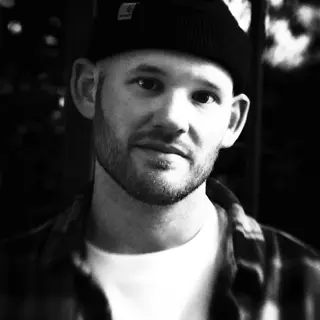
Hi, I'm Tim.
Producer, songwriter, mixer - fifteen-plus years on worship records with a few hundred million streams behind them, plus a long run as music director at a big church.
I built Ambience because the joy and the chaos of running a Sunday platform aren't theory to me. The tools I wished I had didn't exist - so I made it. First as the app, now as a plugin too.
Good to know.
What formats does the plugin come in?
Audio Unit (AU), VST3, CLAP and a Standalone app - all installed by one download. It loads as an instrument in Logic Pro, Ableton Live, Reaper, Bitwig, Cubase, GarageBand and any other AU, VST3 or CLAP host, or runs on its own with no DAW at all.
Can I run it live in MainStage or Ableton Live?
Yes - that's exactly what it's built for. Load it as an AU in MainStage, VST3 or AU in Ableton Live (also Logic Pro, Reaper, Bitwig and the rest), alongside your backing tracks and click. Standalone if you'd rather skip the host. Sunday-ready.
Which Macs does it run on?
Apple Silicon Macs (M1, M2, M3 or newer) running macOS 11 Big Sur or later. This build is Apple Silicon only and will not run on Intel Macs.
Is it a one-time purchase?
Yes. £30 buys the plugin outright - no subscription. One licence covers three of your own Macs (three activations), and it's yours to keep.
Can I get a refund if it's not for me?
Yes. Licences are sold through Lemon Squeezy with a money-back guarantee - if it doesn't work out, you can ask for a refund.
Does the plugin include the iPhone and iPad app?
No - the Mac plugin and the iOS app are sold separately. The plugin (£30) is bought here through Lemon Squeezy; the app (£5) is on the App Store.
Do I need an internet connection to use it?
Only once. The plugin needs a one-time online licence activation on first launch. After that it runs fully offline - paste your key, click Activate, done.
Does it follow my DAW's tempo?
Yes. The arpeggiator, drums and delay lock to your host's BPM and play position in any DAW. In the standalone app you set the tempo manually (30-200 BPM), with 4/4 and 6/8 time signatures.
Do I need to set up MIDI routing for Listen Mode?
No. Listen Mode uses the plugin's own MIDI input - the one your DAW already routes from the track Ambience sits on. Engage Listen, play your chords on that track, and the analyser picks them up. No extra busses, no IAC, no configuration.
Is the installer safe - will macOS complain?
No warnings. The installer is signed with an Apple Developer ID and notarized by Apple, so Gatekeeper installs it without the "unidentified developer" message. The whole download is about 7 MB.
Hold one note.
An evolving ambient world, in your DAW. £30, yours for life.
Mac · Apple Silicon · AU · VST3 · CLAP · Standalone