Ambience.
Generative ambient pads, built for worship.
Not just another pad app - pads, arpeggios, rhythmic motion and full studio FX. No subscriptions, no 2GB downloads, all for the price of a coffee.
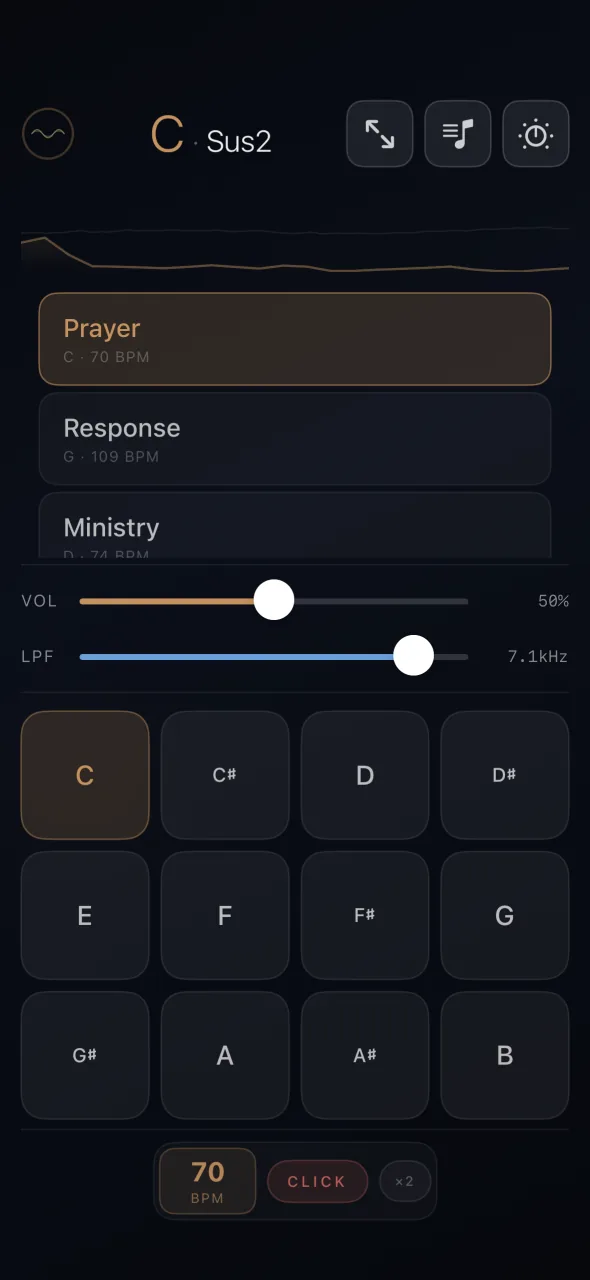
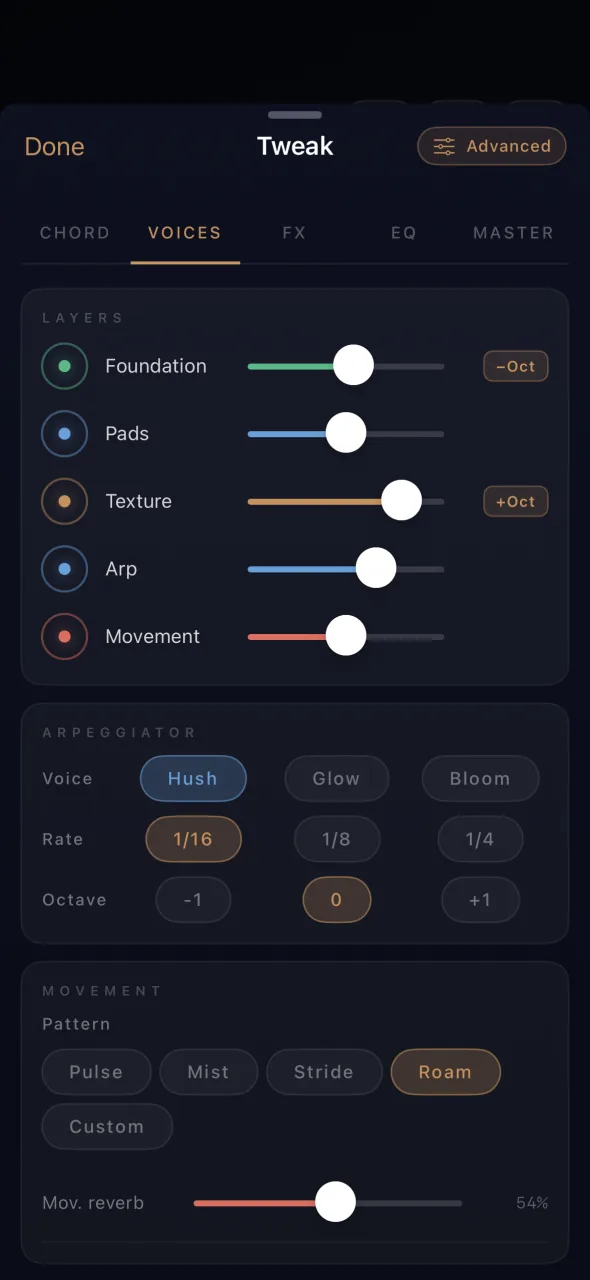
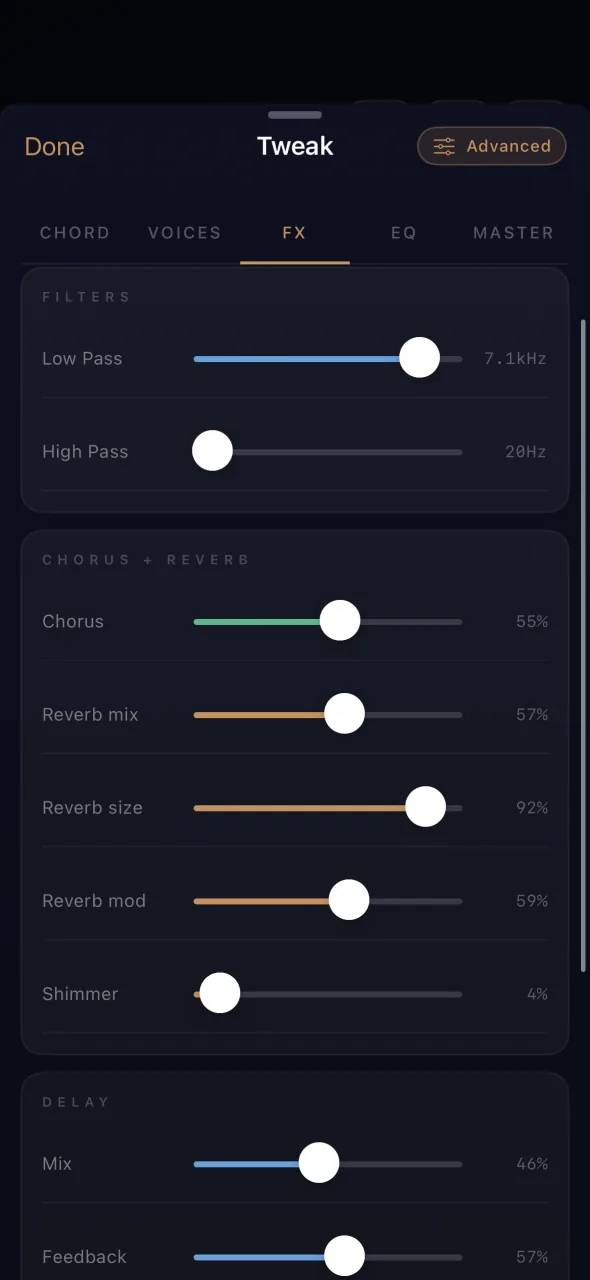
Buy it once
No monthly fee, no pro tier, no upsell. Every voice, chord and effect open to tweak - infinite sound design, not just generic presets.
Five layers
Foundation, Pads, Texture, Arp, Movement. The whole ambient instrument, not just a pad.
Three taps to live.
Tap the root.
All 12 keys, instantly recallable. Smooth crossfades between them so you never miss the downbeat.
The pad does the rest.
Generative arpeggios and harmonic motion start under the band. One tap and you're running.
Right under your hands.
Switch keys, ride the FX, drive it from a MIDI controller - all without pausing what's playing.
Built for these moments.
Switch keys on a whisper, ride the FX, hold a chord through a key change. Smooth crossfades mean nobody hears the move.
Set, press play, walk away. The generative engine keeps the pad alive without looping or repeating, however long the moment lasts.
Texture that translates through a compressed mix. Fills the gaps a dry broadcast room leaves on camera.
Everything you need.
Nothing you don't.
All 12 keys, instantly
Switch keys live with one tap. Smooth crossfades - never miss the downbeat.
Easy + Advanced modes
Easy mode for fast set-up on a Wednesday night. Advanced mode for the deep dive on a Saturday afternoon. Switch any time without losing your sound.
Chord voicings + custom builder
Major, Minor, Sus2, Sus4, Maj7 - one tap each, the chord types worship music actually uses. Plus a custom chord builder for any combination of major-scale degrees.
Five unique layers
Foundation, Pads, Texture, Arp, Movement - each on its own fader. The whole ambient instrument; mix the bed you want, mute what you don't.
Arp + harmonic motion
Generative arpeggios with three voices (Bloom, Hush, Glow) and chord movement other pad apps don't give you. Pads that breathe and travel.
Movement: drums under the pad
Pulse, Mist, Stride, Roam - or draw your own with the step sequencer. Subtle rhythmic pulse, locked to tempo. Pad apps don't do this.
Named, reorderable setlists
Save the sound, name it (Gratitude, Prayer and Ministry), drag to reorder. Run the whole service from a tap.
MIDI + tempo sync
Learn any controller, map any knob. MIDI clock both ways - send out to keep your pedalboards, keys rigs and delays in sync, or receive in from your DAW or loop pedals. Bluetooth MIDI, tap tempo, 4/4 and 6/8.
Ableton Link
Wireless tempo sync over Wi-Fi - no cables, no clock chain. Join the band's session and Ambience locks to the shared tempo and downbeat. Works with Ableton Live, Logic, MainStage, loop pedals, drum apps and any other Link-enabled device on the same network.
Studio FX built in
Shimmer, reverb, chorus, BPM-synced delay, filter, saturation, EQ, width. No plugins, no extra purchases.
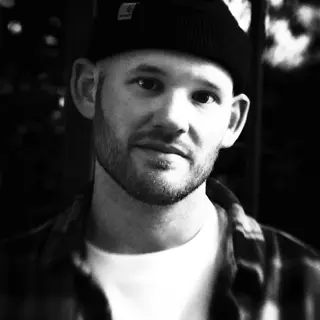
Hi, I'm Tim.
Producer, songwriter, mixer - fifteen-plus years on worship records with a few hundred million streams behind them, plus a long run as music director at a big church.
I built Ambience because the joy and the chaos of running a Sunday platform aren't theory to me. The tools I wished I had didn't exist - so I made it. First as the app, now as a plugin too.
Things worship leaders ask.
Is £5 really one-time? No subscription, ever?
Yes. One App Store purchase, no subscription, no in-app upsells, no separate "pro" tier. You buy it, you own it.
Does it work offline?
Fully. Once installed, Ambience runs without an internet connection - useful when church Wi-Fi is patchy or the iPad lives in airplane mode at the back of the platform. No faff.
Will it keep playing while I use my other apps?
Yes. Ambience uses iOS background audio - switch to whatever else you need on your device, or lock the screen, and the pad keeps holding the room. A lock-screen Now Playing widget gives you play/pause without unlocking.
Can I leave it playing during prayer and altar time?
Yes - it's one of the most common use cases. Set the key, press play, walk away. The generative engine keeps the pad alive without looping or repeating, so it doesn't draw attention to itself the way a 4-bar loop does. Background audio plus the lock-screen widget means you can dim the iPad too.
Is it good for pre-service music?
Yes. Pick a key that fits your opening song, layer in some Movement if you want a subtle pulse, and let it run while the band sets up. Smooth crossfades mean you can transition into the first song without anyone noticing the changeover.
Does it work for live streaming or broadcast?
Yes. Dry rooms sound clinical on broadcast - Ambience fills the gaps with a texture that translates through compression and limiting.
Which devices does it run on?
iPhone and iPad on iOS / iPadOS 16 or later. One App Store purchase covers both. For Mac, see the dedicated plugin.
Do my presets and setlists sync between devices?
Yes - your library syncs via iCloud. Save a preset on your iPhone Sunday morning, open the app on your iPad in the back of the church that afternoon, it's there. Only preset data is stored in iCloud key-value storage; nothing about how you use the app.
Does it work with my MIDI controller and pedalboard?
Yes. MIDI Learn maps any knob, fader or footswitch to any control. Bluetooth MIDI is supported alongside wired. MIDI clock works both ways: send out to lock the band's delay pedals to Ambience's tempo, or receive in from your DAW or loop pedals to follow theirs. Ableton Link is supported too, for wireless tempo sync across devices on the same network.
Can I route the audio through my interface, AirPlay or in-ear mix?
Yes. Ambience uses standard iOS audio routing - anything iOS itself outputs to (USB-C class-compliant interfaces, AirPlay, Bluetooth, headphones, the desk via a Lightning/USB-C adapter) just works.
Five pounds. Once.
The pad app you'll actually use every Sunday.
iPhone · iPad · One purchase